Selected Work · Applied AI · Community project
Classroom book inventory from phone photos
Teachers at Sherwood Elementary needed a transparent record of the books in their classrooms. I designed and built an AI-assisted workflow that turned their phone photos into a structured catalog, so nobody had to type titles one at a time.
- Where
- Sherwood Elementary
- When
- November 2025 to February 2026
- My role
- Designer, builder, and operator
- Built with
- Python, AI vision and OCR, ISBNdb, Google Drive and Sheets APIs
Replay: photo to catalog
Real photos from the teachers’ upload folders. Pick a photo; hover a box or a row to connect them.
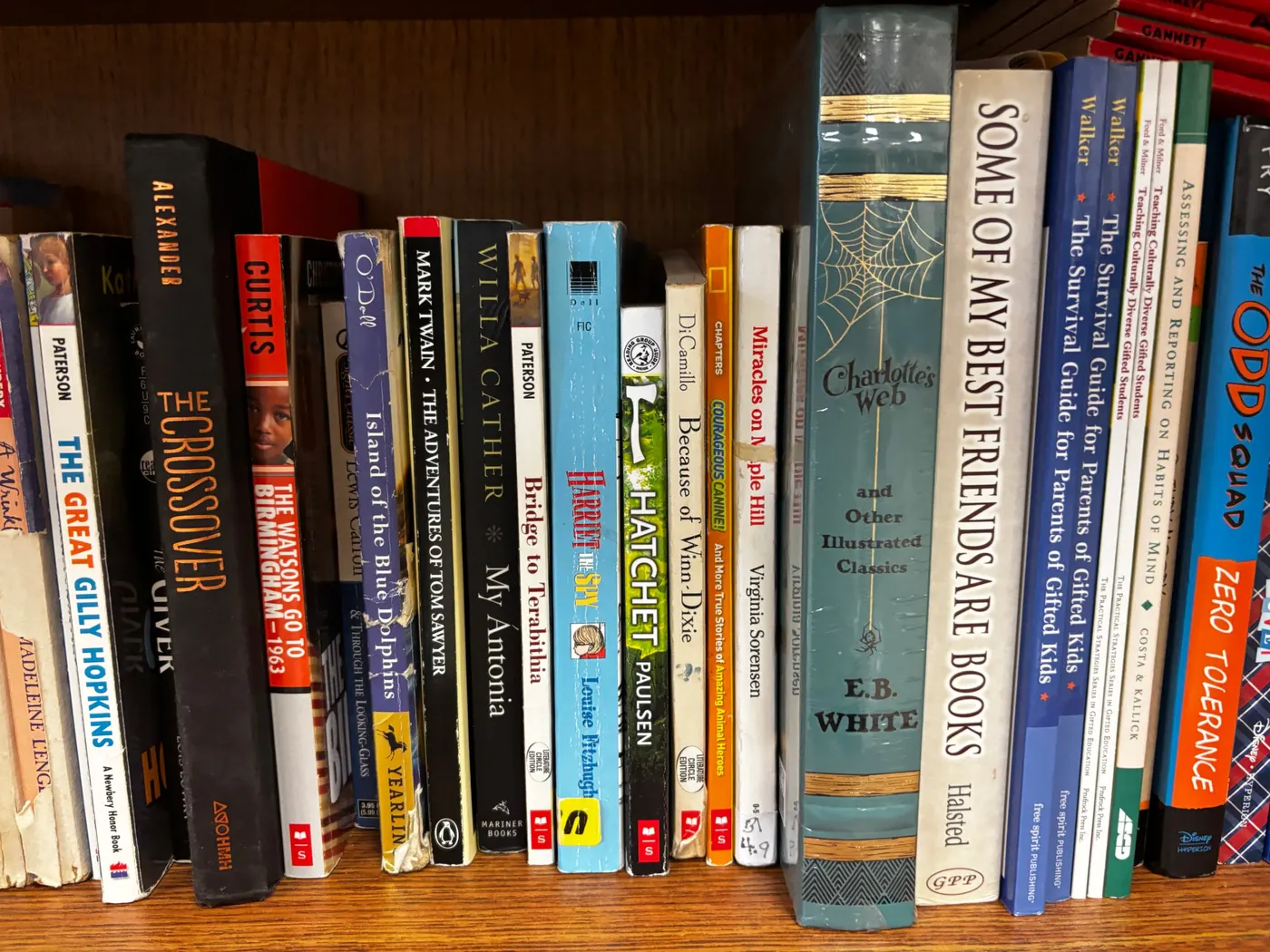
| Title | Author | Status |
|---|
Replay of the workflow’s steps on real input photos. Titles shown are read from the photos for illustration; review flags show how uncertain results were routed.
The problem
The school wanted an inventory of every classroom’s books. The only way to build it was by hand: one person reading each title aloud while another typed it, or one person reading and typing alone. Across a whole school, that is a lot of hours from teachers who do not have them.
The outcome
Teachers used the workflow to capture their classroom libraries. Instead of typing, they took a few photos and uploaded them. It was dramatically easier than the manual method. We did not formally measure the time saved, and I would rather say that than invent a number.
Who did what
- Teachers photographed shelves or covers and uploaded them to their classroom’s folder.
- The workflow read the photos, identified books, looked up details, and filled the sheet.
- Reviewers resolved anything the workflow was unsure about.
- The administrator received a verified, organized catalog.
How it works
- CaptureTeachers upload phone photos of spines or covers to Google Drive folders organized by classroom.
- Pick upPython watches the folders, converts phone image formats, and skips photos it has already processed.
- ReadImage recognition, OCR, and AI extraction identify each book and pull title, author, and ISBN where visible.
- EnrichBook-data services, including ISBNdb, fill in and confirm the details.
- RecordResults land in Google Sheets by classroom.
- ReviewLow-confidence results go to a person instead of straight into the catalog.
- CatalogVerified records are organized into the final school catalog.
Problems I solved along the way
- Phone photo formats. Teachers’ phones produced formats the pipeline had to convert reliably before reading.
- No double counting. Processed photos are tracked so a re-run never adds the same books twice.
- Duplicates that are not duplicates. The same title can legitimately sit in two classrooms, so duplicate detection had to tell a repeated photo from a second copy.
- Retakes. When a teacher reshot a blurry photo, the pipeline needed to replace, not add.
- Two capture methods. Spine photos fit the most books per picture; cover photos read well with fewer books per shot. The workflow handled both.
Timeline
November 17, 2025
Wrote teacher instructions for photographing and uploading classroom books.
November 25, 2025
Documented the processing pipeline and who does what: teachers, reviewers, and administrator.
January 8, 2026
Troubleshot duplicate detection and retake handling in the running pipeline.
February 2026
Project wrapped.